

Gather the Right Packing Materials
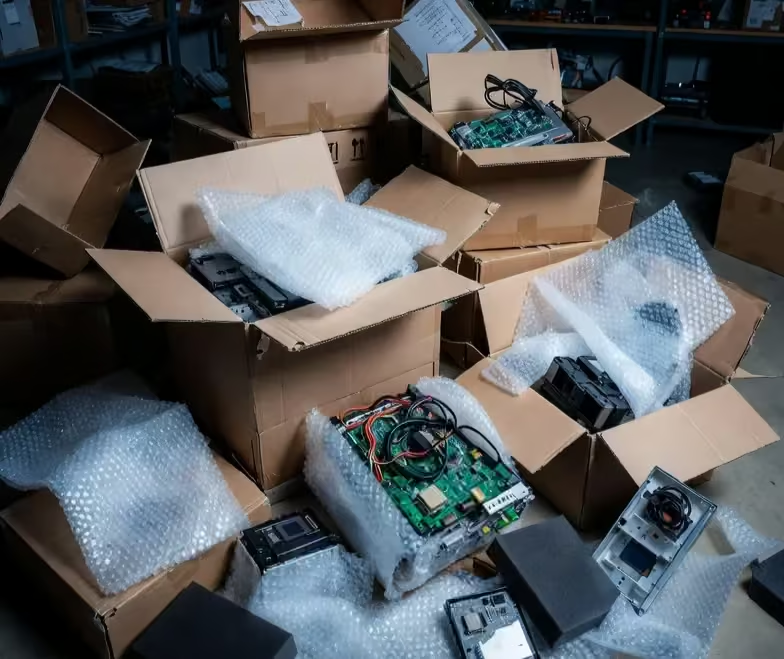
Before you start, stock up on quality supplies to protect against shocks, moisture, and scratches. You’ll need anti-static bubble wrap, sturdy boxes (ideally the original ones if you still have them), packing tape, foam padding, and twist ties for cables. Avoid using newspaper, as ink can transfer onto screens. Qaswa Logistics offers professional packing materials that are designed for fragile items, helping you avoid last-minute scrambles.
Back Up Your Data First
Electronics aren’t just hardware — they’re full of important files and memories. Always back up data from computers, laptops, and external drives to the cloud or an external hard drive before packing. This simple step provides peace of mind in case of any unexpected issues during transit.
Disconnect and Organise Cables
Unplug all devices and carefully remove cables, labelling each one with masking tape (e.g., “TV power cord” or “laptop charger”). Coil them neatly and secure with twist ties to prevent tangles. Store cables in a separate zip-lock bag or small box, grouped by device, so reconnection is quick and hassle-free at your new home.
Clean and Prepare Devices
Dust and dirt can cause scratches or malfunctions during a move. Gently clean screens with microfibre cloths and approved cleaners, and remove batteries from remotes or smaller gadgets to avoid leaks. For larger items like printers, empty ink cartridges if possible. This prep work keeps everything in top shape.
Wrap and Cushion Individually
Wrap each electronic in anti-static bubble wrap or foam sheets, paying extra attention to screens and corners. Place the item in a box that’s slightly larger than the device, filling any gaps with crumpled paper or foam peanuts for cushioning. For flat-screen TVs, use specialised TV boxes with reinforced sides. If you’re unsure, Qaswa Logistics’ expert packing team can handle this for you, ensuring professional protection.
Label Boxes Clearly and Strategically
Mark boxes as “Fragile – Electronics” on all sides, and include handling instructions like “This Side Up” or “Do Not Stack.” Specify the contents (e.g., “Computer and Monitor”) to help movers prioritise. Keep these boxes separate from heavier items in the moving van to minimise risks.
Consider Temperature and Transport
Electronics are sensitive to extreme temperatures, so avoid leaving them in a cold van overnight during winter moves or in direct sunlight. If your move involves storage, opt for climate-controlled units.
Test Everything Upon Arrival
Once unpacked, plug in and test each device right away. This allows you to spot any issues early and address them under insurance if needed.
Packing electronics doesn’t have to add extra stress to your relocation. By following these tips, you’ll protect your investments and enjoy a smoother transition.